Design rotors and stators that mesh, then take them straight into CAD.
rotoCAD builds the rotor and stator profile as a matched pair, shows it in 2D and 3D, and writes the STEP model for your CAD system.
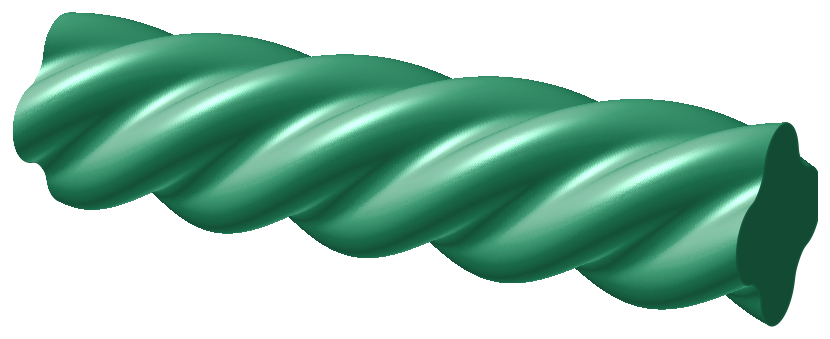
A matched pair, every time
Enter the diameters and the lobe count. rotoCAD builds the rotor and the stator together, so they fit each other by construction, with no trial and error.
- Rotor and stator generated as one meshing pair
- Lobe tips and valleys exactly on the diameters you specify
- Constant clearance along the whole rotor flank
- Smooth profiles, ready for machining
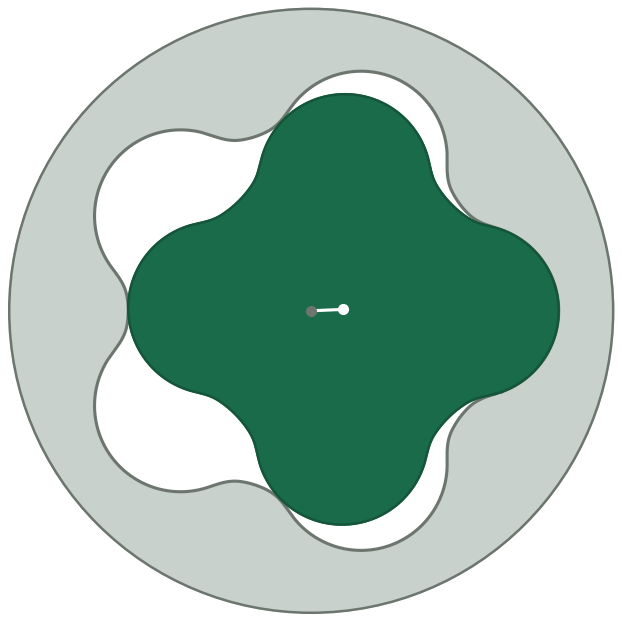
Every lobe configuration
From the single-lobe 1:2 pump to multi-lobe power sections, with the same workflow and the same reliable fit.

How it works
Enter the dimensions
Major and minor diameter, lobe count and clearance. That's all rotoCAD needs.
Check the fit
See the rotor in its stator in 2D and as a helical 3D model, and fine-tune points if you need to.
Export to CAD
Download the helical rotor and stator as STEP models, ready for your CAD system.
Frequently asked questions
What is rotoCAD?
rotoCAD is browser-based software for designing rotor and stator profiles for progressive cavity pumps and downhole motor power sections. It builds the rotor and stator as a matched pair, shows them in 2D and as a helical 3D model, and exports them for your CAD system.
Which lobe configurations does rotoCAD support?
Any configuration from the single-lobe 1:2 pump upwards. The stator always has one lobe more than the rotor, and both are generated together so they mesh.
Which file formats can I export?
Helical rotor and stator solids as STEP files for CAD, and the profile points as CSV and Excel files for inspection and further processing.
Do I need to install anything?
No. rotoCAD runs in your web browser. Accounts are set up per company, so colleagues share one workspace.
How do I get access?
Request access and tell us about your pumps and machines. TurnVal sets up your company account and gets back to you.
Ready to design your next rotor?
Tell us about your machines, and we'll set up your company account.